Plan.Build.Review.
A local board where you and your coding agent hand work back and forth. You write the brief, the agent picks up the task over MCP, and the delivery comes back for your review with the code and notes alongside.
Version 0.1.0. Free, no account, no cloud.
Every task is with someone.
The board answers one question before any other: who has the work right now. The blue ring is you, the purple diamond is the agent.
With you
Your tasks in To do or In progress.
Agent's queue
In To do with the agent. It picks them up over MCP when you ask.
Agent working
In progress with the agent. The card gets a dashed outline.
Waiting for you
Everything in review, whoever delivered it.
To ask for changes, move the task back to To do and write in its conversation. The Overview gathers every project and shows where the work stopped.
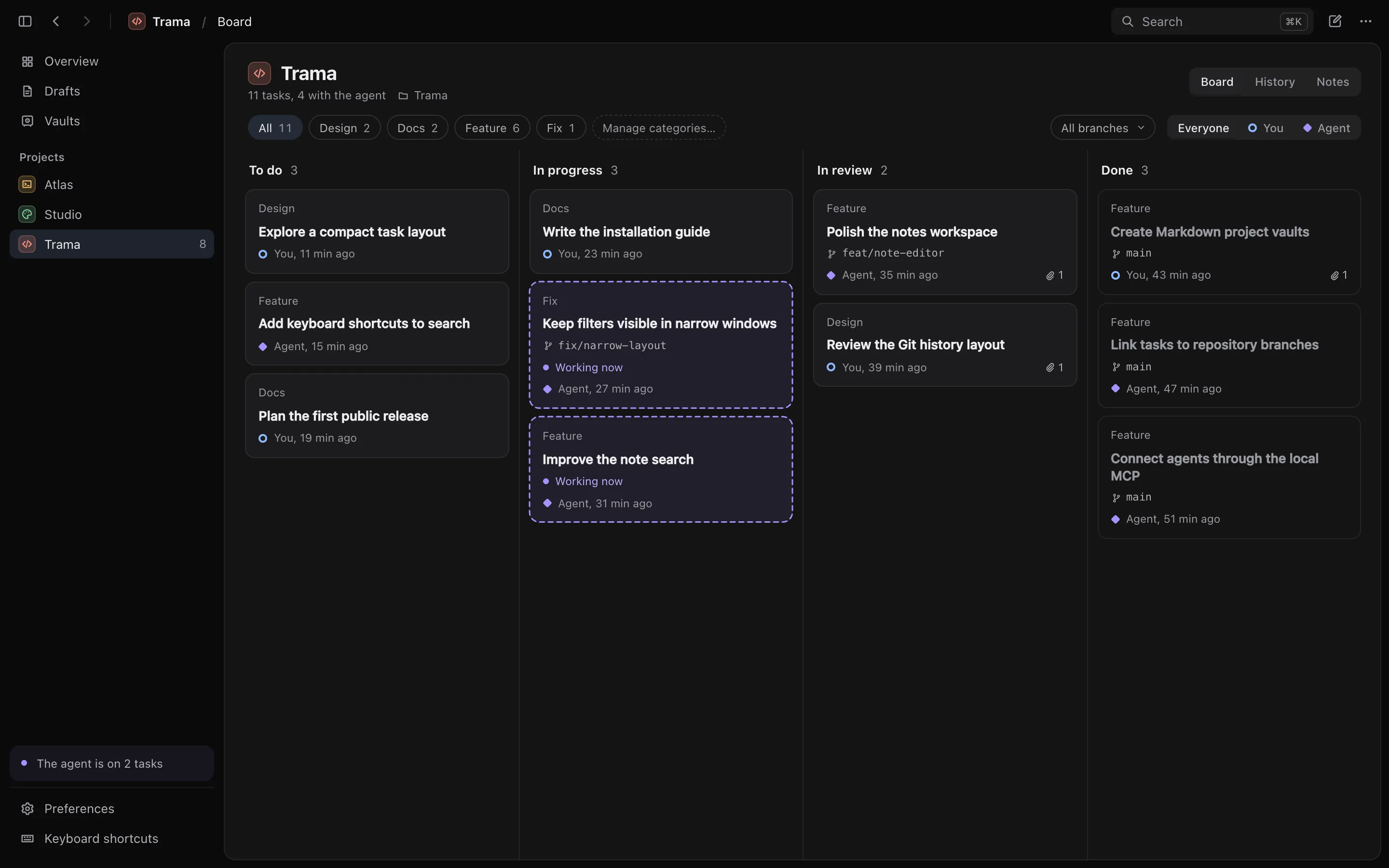
Each task holds the brief in blocks, the conversation with the agent, the checks, the delivery summary and the attached notes.
- Drag or use the keyboard to move cards between columns.
- Categories and branches: filter the board by category, by who has the task, or by the local branch linked to it.
- Drafts keep ideas in progress off the board, and finished work can be archived and restored.
- Private notes stay on the task and never reach the agent.
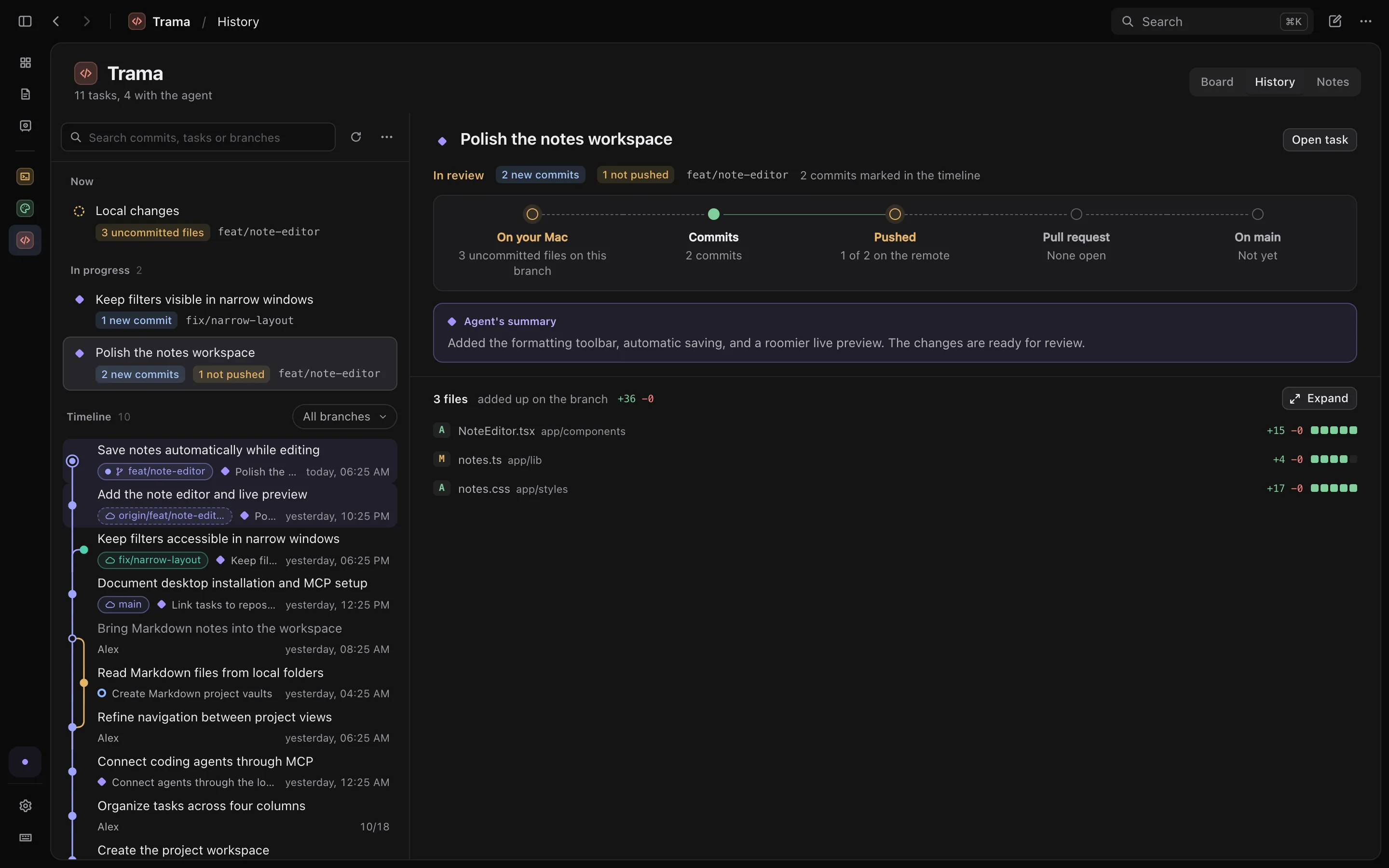
From your Mac to main.
The history links commits, branches and pull requests to tasks. Pick what to look at and see where the change is on its way.
Read the diff without leaving the project.
- Side by side or inline, with the file list alongside. Each file collapses, and your choice is saved.
- The right PR: Trama finds the pull request from the commit the merge left on main, not just the number in the title.
- Read only: commits, branches and merges stay with you and your tools.
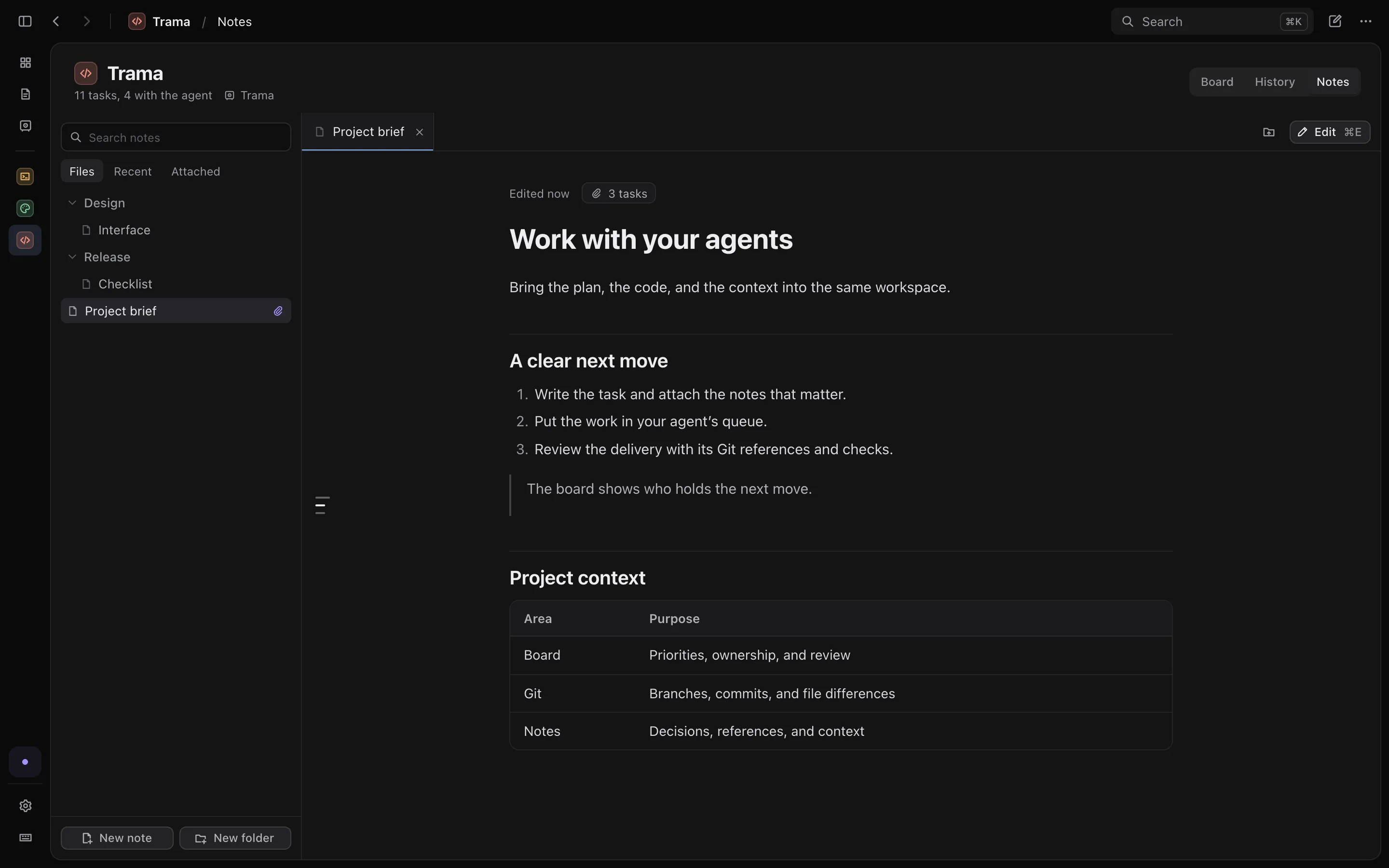
Context stays in Markdown.
Link the project to a folder of .md files. The agent reads the same notes you attach to the task.
- Tabs and editing with preview: open several notes, edit with ⌘E, and scroll the text and preview together.
- Search takes you to the passage: the note opens right where the word is, briefly highlighted.
- Vaults brings every project's notes folder into one place.
- Plain files: notes stay in your folder, and Trama checks for changes made outside it before saving.
Connect the agent you already use.
Trama ships with trama-agent, a local MCP server. It works with Claude Code, Codex, OpenCode and other clients that support MCP. Trama doesn't run the agent: it works in its own client.
- Reads the brief, the attached notes and the task's conversation.
- Moves the task, records the branch, commit and PR, and hands it over for your review.
- The Trama skill teaches the agent the queue, delivery and review flow.
claude mcp add --scope user --transport stdio trama -- \
  /Applications/Trama.app/Contents/MacOS/trama-agent --workspace
# ~/.codex/config.toml
[mcp_servers.trama]
command = "/Applications/Trama.app/Contents/MacOS/trama-agent"
args = ["--workspace"]
On Windows, trama-agent.exe sits next to Trama's executable.
Everything stays on your computer.
| Projects, tasks and activity | In a local SQLite database. |
|---|---|
| Project notes | Plain .md files, in the folder you chose. |
| Code and Git history | In your repositories. Trama only reads. |
There's no account and no sync. What the agent reads over MCP follows the rules of the client and provider you use. The interface is in English and Portuguese.
Download Trama 0.1.0
The MCP server comes with the installer.
These test builds aren't notarized by Apple on macOS or code-signed on Windows. macOS may require approval in Privacy & Security; Windows may show a SmartScreen warning. See how to open it.